
Aniimo Android is now officially available following the worldwide mobile launch on September 23, 2026. Developed by Pawprint Studio, Aniimo is a free-to-play open-world creature-catching RPG where players explore Idyll, collect creatures called Aniimo, battle, complete activities and play alongside other Pathfinders.
The Android release is available through Google Play, with the official package listed as com.x.aniimos. Aniimo also launched on iOS, while the PC and console versions arrived one week earlier on September 16. Progress can carry between supported platforms when the same account and server are used.
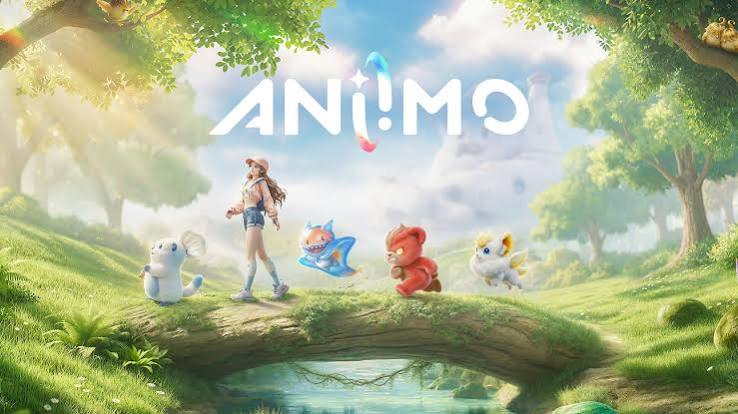
Aniimo on Google Play
Official Aniimo Website
Aniimo Android Information
| Detail | Current Information |
|---|---|
| Game Name | Aniimo |
| Platform | Android |
| Developer | Pawprint Studio |
| Publisher Listing | PAWPRINT INTERACTIVE ENTERTAINMENT PTE. LTD. |
| Package Name | com.x.aniimos |
| Genre | Open-world creature-catching RPG |
| Mobile Launch | September 23, 2026 |
| Android Version | Android 10 minimum |
| Minimum RAM | 6 GB |
| Recommended RAM | 8 GB+ |
| Minimum Chipset | Snapdragon 855 / Dimensity 1000 |
| Recommended Chipset | Snapdragon 8 Gen 2 / Dimensity 9200 or better |
| Graphics API | Vulkan 1.1 |
| Free Storage | At least 18 GB |
| 60 FPS | Supported on compatible devices |
| Google Play | Available |
| Price | Free-to-play with in-app purchases |
| APK Guru Rating | 0 / not yet collected |
| APK Guru Votes | 0 / not yet collected |
The mobile specification chart published around launch places the Android minimum at Android 10, 6 GB RAM, Snapdragon 855 or Dimensity 1000-class hardware, Vulkan 1.1, and 18 GB of available storage. The recommended tier increases memory to 8 GB and targets Snapdragon 8 Gen 2 or Dimensity 9200-class hardware.
Aniimo Mobile Launch Is Now Live
Aniimo mobile pre-download opened on September 22, followed by the full Android and iOS launch on September 23. The official launch schedule opened the APAC service at 10:00 UTC+8, Europe at 02:00 UTC, and the Americas at 22:00 UTC-4 on September 22.
For players in Pakistan, the mobile release is already live, so there is no longer any need to rely on pre-registration pages or old beta clients. The official launch also arrived alongside the September 23 update, which introduced new content and prepared the game for global mobile access.
What Kind of Game Is Aniimo?
Aniimo is built around exploration and creature collecting rather than short standalone matches.
Players explore the continent of Idyll, catch different Aniimo using Aniipods, develop their collection, and use their creatures during exploration and combat. The game also includes multiplayer features and competitive encounters. One of its more unusual mechanics is twining, which lets players connect with Aniimo and experience the world using different abilities and perspectives.
The Google Play description also highlights Egg Heist, a PvEvP activity where three-player teams search, battle, and compete in the Lost Isles. Players can also use an RV, visit campsites, and develop a homeland with crops and decorations.
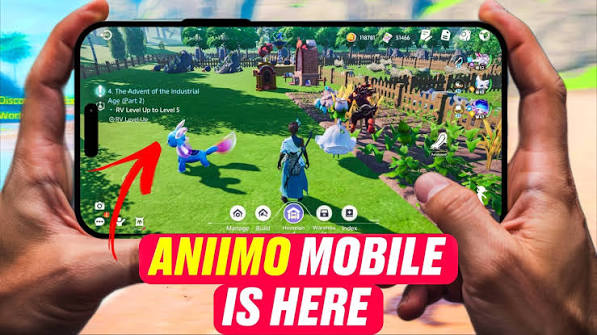
Aniimo Android Download
The simplest way to complete an Aniimo Android download is through Google Play.
Download Aniimo from Google Play
Before starting, make sure the phone has at least 18 GB of free storage and preferably use a stable Wi-Fi connection. Aniimo’s launch guidance specifically recommends leaving this amount available before downloading. Because Aniimo already has an official Google Play release, there is usually no reason to download an unofficial Aniimo APK from a random mirror.
If you ever need to install an Android package manually, APK Guru’s general guide explains APK installation safety. For Aniimo itself, Google Play should be the first choice.
Aniimo Android System Requirements
Aniimo is more demanding than a lightweight mobile game because it renders a large 3D open world, multiplayer environments, and detailed creatures.
Minimum Android requirements
| Requirement | Minimum |
|---|---|
| Processor | Snapdragon 855 / Dimensity 1000 |
| Android | Android 10 |
| RAM | 6 GB |
| Graphics | Vulkan 1.1 |
| Free Storage | 18 GB |
Recommended Android requirements
| Requirement | Recommended |
|---|---|
| Processor | Snapdragon 8 Gen 2 / Dimensity 9200 or better |
| Android | Android 10 or later |
| RAM | 8 GB or more |
| Graphics | Vulkan 1.1 or later |
| Free Storage | 18 GB |
These specifications are important because Aniimo checks more than the Android version alone. A phone may have enough RAM and storage but still fail compatibility if its GPU or driver does not support Vulkan 1.1.
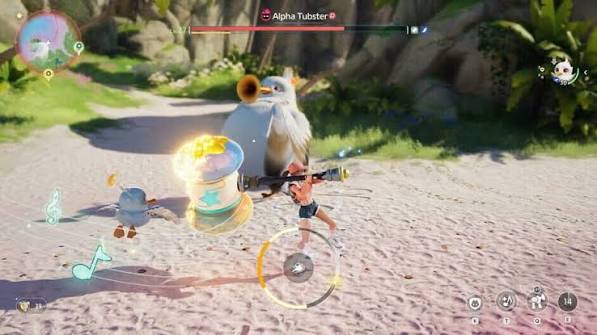
Why Aniimo Says Your Android Device Is Incompatible
A common early launch issue is the message that a device is not compatible or does not meet the minimum requirements.
The first thing to check is Vulkan 1.1 support. Aniimo’s mobile FAQ specifically warns that some older GPUs do not support the required Vulkan graphics driver, which can prevent installation or stop the game from opening.
Also check:
- Android 10 or later
- At least 6 GB RAM
- Supported processor class
- At least 18 GB of free storage
- Latest Google Play version
- Current Android system updates
Some players reported compatibility warnings at launch even on devices they believed met the listed specifications. Those reports are anecdotal and may involve device-specific drivers or launch compatibility checks rather than one universal problem.
If your phone meets the requirements but still fails, record the exact device model and error message before contacting official support.
Do Not Use an Old Aniimo Beta Client
If you participated in an earlier Aniimo test, the old mobile client will no longer work.
The official mobile FAQ says previous test clients should be uninstalled, followed by a fresh download of the current version.
Trying to update an old test build may result in installation errors, login problems, or incompatibility messages.
Does Aniimo Android Support 60 FPS?
Yes. Aniimo includes a 60 FPS mode on mobile, although some lower-end devices may not have access to it.
Higher frame rates place more load on the processor and GPU, so the game may produce more heat when running at 60 FPS. The developers recommend reducing graphics quality or rendering scale if the device becomes too warm.
For phones close to the minimum requirements, a lower graphics preset may provide a more stable experience than trying to maintain maximum visual quality.
Tablet and Large-Screen Support
Aniimo is also optimized for tablets and larger displays.
Large-screen mode activates automatically, along with a higher rendering scale. Because higher resolution increases processing load, players can lower graphics quality or rendering scale when necessary.
This makes Aniimo Mobile suitable for both smartphones and compatible Android tablets, provided the hardware meets the requirements.
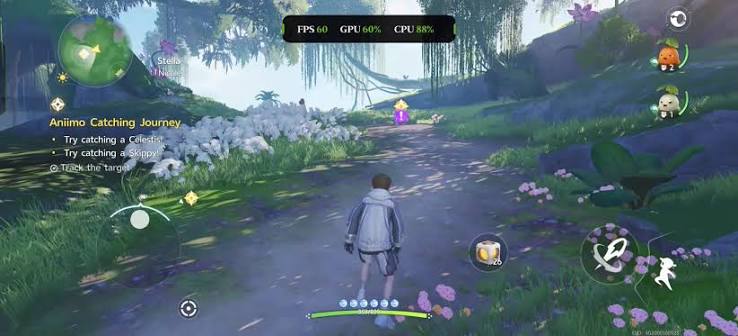
Cross-Progression Between Android, PC, and Console
One of the strongest mobile features is cross-platform progression.
If you already played Aniimo on PC or console, you do not necessarily need to start again on Android. Progress, resources, and party lineups can sync when you sign into the same account on the same server.
The server choice matters. Data stored on different servers remains separate, even when the same account is used.
Before creating a new mobile character, check that you selected the same server used on your existing account.
Aniimo Android Login and Account Setup
New players can install Aniimo through Google Play and follow the account setup shown when the game opens.
Existing PC or console players should sign in with the account already associated with their character and choose the same server. Aniimo also supports account linking for players who previously used third-party platforms such as Steam. The official launch guidance explains that an Aniimo Pass email can be linked to supported third-party accounts. Keep account passwords and verification details private, particularly when linking multiple platforms.
Download Stuck at 0% or Updating Slowly
Large mobile launches can create download congestion, especially during the first few days. Aniimo recommends several steps when downloads stop, roll back or remain at 0%:
- switch between Wi-Fi and mobile data;
- disable VPNs or proxies;
- temporarily check private DNS or ad-blocking settings;
- restart the phone and router;
- Use 5 GHz Wi-Fi where possible;
- Make sure enough storage is available;
- Try again outside peak download periods.
If the installation itself fails after downloading, APK Guru’s Android APK installation troubleshooting guide covers common storage, package, and permission issues.
Network Errors, Lag, and Disconnects
Aniimo is an online game, so network quality matters even when exploring alone.
If the game repeatedly disconnects, start by testing another network. A 5 GHz Wi-Fi connection is usually less affected by local interference than crowded 2.4 GHz networks. Aniimo also recommends disabling VPNs or proxies when troubleshooting connection problems and choosing a server close to your region to reduce latency. During busy periods immediately after launch, server load can also cause queues or slower loading. Pawprint Studio warned players about this ahead of the mobile release.
Current Aniimo Android Experience
The Android launch is still very new, so long-term performance feedback is limited.
Early community reports mainly focus on compatibility. Some Android users say Google Play marks their phones as unsupported, while others report receiving a minimum-requirements warning after installation. A few users have also mentioned long shader-loading periods. These reports involve individual devices and should not be treated as universal Aniimo Android problems.
The most useful first step is to compare the phone against the published Android requirements, especially Vulkan 1.1, RAM, and chipset support.
Aniimo Android Safety and Permissions
Aniimo has an official Google Play listing published under Pawprint Studio, so downloading through Google Play avoids many of the risks associated with unofficial APK mirrors.
Google Play currently identifies the game as containing in-app purchases and gives it an Everyone 10+ content rating with fantasy violence and user interaction. As with any game, review Android permissions when prompted. APK Guru’s Android app permissions guide can help explain why an app may request particular access.
Aniimo Android FAQs
Is Aniimo available on Android?
Yes. Aniimo officially launched worldwide on Android and iOS on September 23, 2026.
Where can I download Aniimo Android?
The official Android release is available through Google Play under Pawprint Studio.
Is Aniimo free on Android?
Yes. Aniimo is free-to-play and includes in-app purchases.
How much storage does Aniimo Android need?
The mobile launch guidance recommends having at least 18 GB of free storage before downloading.
What Android version does Aniimo require?
The published minimum specification is Android 10, together with 6 GB RAM, Vulkan 1.1 and supported hardware.
What processor is required for Aniimo Android?
The minimum target is Snapdragon 855 or MediaTek Dimensity 1000-class hardware. Snapdragon 8 Gen 2 or Dimensity 9200-class hardware is recommended.
Why does Aniimo say my device is incompatible?
One common reason is missing Vulkan 1.1 support. RAM, chipset, Android version and storage can also affect compatibility.
Does Aniimo Android support 60 FPS?
Yes. A 60 FPS mode is supported on compatible mobile devices, although it can increase heat and battery load.
Does Aniimo support cross-progression?
Yes. Progress can sync between mobile, PC and console when you use the same account and the same server.
Should I download an Aniimo APK from another website?
The official Android version is already available on Google Play, making the Play Store the preferred download option. Unofficial APK files should only be considered with careful source and package verification.
Before Starting Aniimo on Android
Aniimo Android is no longer a pre-registration or upcoming release—the mobile version is now live.
Before downloading, the most important checks are device compatibility and storage. Android users need to pay particular attention to Vulkan 1.1, RAM, and chipset requirements while keeping at least 18 GB free for the installation.
Players moving from PC or console should use the same account and server to preserve progress. New players can download directly from Google Play and begin exploring Idyll without needing an unofficial APK.