
Monkey App is a social discovery platform built around spontaneous video and text conversations with people from around the world. On Android, the official app combines one-to-one video chat with profiles, Cards, group video conversations and direct messaging. Monkey also offers a browser-based version for people who prefer not to install an app.
The platform has changed considerably since its earlier years. In 2026, Monkey emphasizes real-time moderation, an 18+ community policy, and browser access alongside its Android application. Its Safety Center also highlights newer tools such as real-time AI video monitoring, text analysis, and a one-tap safety exit being tested with verified female users.
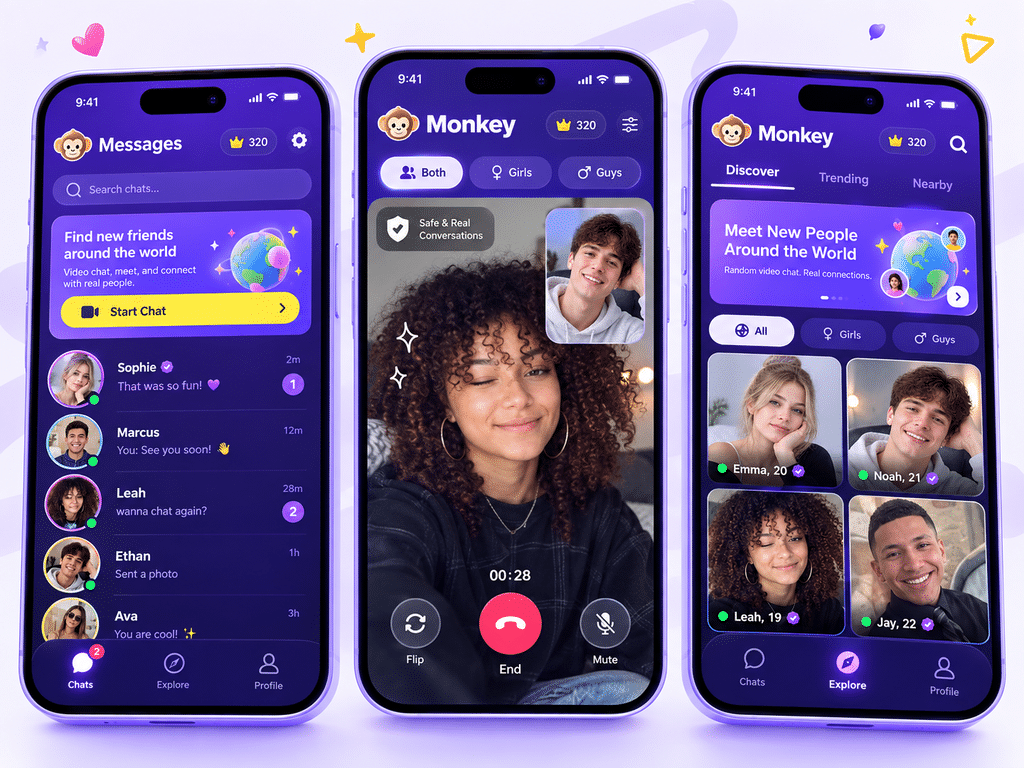
Monkey App Information
| Detail | Current Information |
|---|---|
| App Name | Monkey |
| App Type | Social / Random video chat |
| Android Package | cool.monkey.android |
| Google Play Publisher | Monkey Group |
| Developer Information | Oviedo Interactives Limited |
| Category | Social |
| Android Availability | Google Play |
| Web Version | Available at Monkey.app |
| iPhone Access | Web access currently emphasized |
| Price | Free with in-app purchases |
| Age Policy | Monkey states 18+ |
| Google Play Rating Category | Mature 17+ |
| Latest Play Store Update | September 2, 2026 |
| APK Guru Rating | 0 / not yet collected |
| APK Guru Votes | 0 / not yet collected |
Google Play currently lists the Android version with 10 million+ downloads, while Monkey’s own app description says the wider service has more than 30 million users worldwide. Those are platform-specific figures rather than APK Guru download statistics.
What You Can Do on Monkey
Monkey is designed for quick social discovery rather than building a traditional follower-based profile first.
Its Android app currently highlights several main features.
Random Video Chat
Video chat is the core experience. Users are matched with other people for live conversations and can move on when they want another connection.
Cards
The Cards feature provides a swipe-style way to discover profiles and add new friends without immediately entering a video conversation.
Text Chat
Monkey also supports direct text conversations. Its current website promotes text chat as another way to meet people before or alongside video interaction.
Squad Chat
The Android listing includes Squad Chat, allowing users to join group video conversations with friends instead of relying only on one-to-one matching.
Personalized Profiles
Profiles can include a custom mood and a profile song, giving users more ways to personalize how they appear to other people.
Monkey App Download for Android
Android users can download the official Monkey app directly from Google Play.
The package currently listed by Google Play is:
cool.monkey.android
The app was updated on September 2, 2026, and Google Play lists in-app purchases alongside the free installation.
Because an official Play Store version is available, Android users normally do not need to rely on random Monkey APK mirrors.
If you ever encounter an APK outside Google Play, compare the developer, package name and source first. APK Guru’s guide on how to check whether an APK is safe explains the main checks worth making before sideloading.
Monkey Web: Use It Without Installing an App
Monkey also works directly through a web browser.
The official FAQ says users can visit monkey.app and use Monkey Web without downloading software. For desktop users, this removes the need to install a separate PC application.
The current Monkey website also promotes browser-based access for desktop and iOS while pointing Android users toward the mobile app.
This makes Monkey useful across multiple device types:
- Android through the official app
- Desktop through a browser
- iPhone through Monkey Web
- Other compatible browsers through the web platform
Using Monkey on iPhone
Monkey’s FAQ currently directs iPhone users toward Monkey Web, which works through the browser without requiring a separate download. It also explains that the site can be added to the iPhone home screen for quicker access.
The same FAQ says the previous Monkey app was temporarily removed from Apple’s App Store, while the current website continues to promote web access for iOS users.
For that reason, avoid downloading files from websites claiming to offer unofficial iOS packages.
What Is Monkey DUO Mode?
DUO Mode lets two people join the Monkey experience together.
On Monkey Web, one person can select DUO, choose Share link to invite, and send the generated invitation to a friend. The person starting the session should remain on the page while the invited friend connects.
Monkey recommends Chrome for Android users when accessing the web version.
DUO can be useful for users who prefer meeting new people alongside someone they already know rather than entering random chats alone.
Monkey Plus and Subscription Cancellation
Monkey offers optional premium features through Monkey Plus.
If a Monkey Plus subscription was purchased through Monkey Web, the official FAQ says users can open Monkey Plus from the homepage and choose Cancel renewal. Access remains active until the end of the current billing period.
Premium pricing and availability can change, so check the current subscription screen before purchasing.
Recent Google Play feedback includes complaints from some users about subscription pricing, which shows why checking the renewal terms before paying is useful. Experiences and pricing can differ by region and account.
Is Monkey an Omegle Alternative?
Monkey actively positions itself as an alternative to older random-chat platforms such as Omegle.
Its current web experience focuses on instant random video matching, interest-based discovery, text chat and moderation tools. Monkey also emphasizes cross-device access through mobile and desktop browsers.
The experience is not identical to Omegle. Monkey uses accounts or quick login in parts of the service and provides profile, friend and group-chat features that go beyond a basic anonymous chat window.
It is also worth noting that Monkey.com and Monkey.app are not the same service. Monkey’s official FAQ explicitly says Monkey.com is unrelated to Monkey Web.
Monkey App Safety in 2026
Random video chat always involves interaction with people you do not know, so safety matters more here than with many ordinary Android apps.
Monkey says its current safety system combines AI-based moderation with active monitoring and human review. The platform states that it scans public text and video environments for policy violations and can restrict accounts flagged for inappropriate behavior.
The Safety Center also provides options to:
- report someone during a match;
- report a user from match history;
- unfriend unwanted contacts;
- block further contact;
- leave an uncomfortable interaction;
- access safety information from within the service.
These protections can reduce risk, but users should still avoid sharing private information with strangers.
Monkey’s Age Requirement
There is an important distinction between Monkey’s own policy and Google’s content rating.
Monkey’s Safety Center says the service is strictly for users aged 18 and older and that suspected underage accounts may be restricted and reviewed. Confirmed underage accounts can be banned.
Google Play, meanwhile, currently displays a Mature 17+ content rating. That is a store content classification, not the same thing as Monkey’s account eligibility policy.
Users should therefore follow Monkey’s stated 18+ platform requirement.
Privacy and Android Permissions
Video chat naturally requires access to features such as the camera and microphone. Users should still review every Android permission and make sure it matches the feature they are using.
Google Play’s current developer-provided Data Safety section says Monkey may collect location, personal information and several other data types. It also says app information, performance data and device or other identifiers may be shared with third parties. Google Play currently displays that the developer reports data is not encrypted and that users can request deletion.
These disclosures are worth reviewing before creating an account.
APK Guru’s Android app permissions guide explains how camera, microphone, location and other permissions work on Android.
Staying Safer During Random Video Chats
A few simple habits can reduce unnecessary exposure when talking to strangers.
Avoid displaying your home address, school, workplace, identification documents or financial information on camera. Do not send passwords, OTP codes or account recovery information through chat.
If another user behaves inappropriately, end the conversation rather than continuing because you feel pressured to respond. Monkey provides reporting and blocking controls specifically for unwanted interactions.
Also be cautious when another user sends an external link. A conversation starting on Monkey does not make a third-party website trustworthy.
Current User Experience
The Android app has a large active review base on Google Play, and recent feedback is mixed.
Some users continue to use Monkey for meeting new people through live video chat, while current reviews also raise concerns about premium pricing and encounters with users who appear to be underage. Monkey has responded publicly that minors are prohibited and that its moderation systems and human reviewers are intended to detect and remove underage accounts.
These reviews represent individual experiences rather than every Monkey session, but they reinforce the importance of using reporting tools and following the platform’s 18+ rule.
Common Monkey App Problems
Camera or microphone is not working
Check Android permissions and make sure Monkey has access to the camera and microphone. If permission was previously denied, it can usually be changed from Android’s app settings.
Monkey video chat will not connect
Try switching between Wi-Fi and mobile data, then reopen the app or web page. Browser users should also check that camera and microphone access is allowed.
Monkey login is not working
Check the account or social login being used and make sure you are accessing the official monkey.app domain or official Android application.
DUO invitation does not connect
Keep the DUO page open while the other person follows the invitation link. Monkey specifically notes that leaving the page can interfere with the connection process.
Monkey Plus keeps renewing
Open the Monkey Plus section and check the current subscription settings. For web subscriptions, Monkey’s FAQ directs users to Cancel renewal.
Monkey App FAQs
What is Monkey App?
Monkey App is a social discovery platform for meeting new people through random video chat, text chat, profiles, Cards and group video conversations.
Is Monkey App free?
The standard service is free to use, while optional in-app purchases and Monkey Plus premium features are also available.
Is Monkey App available on Android?
Yes. The official Android app is available from Google Play under the package cool.monkey.android.
Can I use Monkey App on iPhone?
Monkey currently directs iPhone users toward its browser-based Monkey Web experience, which can also be added to the home screen.
Can I use Monkey on a PC?
Yes. No separate PC download is required; Monkey Web works directly through a supported web browser.
What is Monkey DUO Mode?
DUO lets you invite a friend to join the experience with you. On Monkey Web, select DUO and share the invitation link.
Is Monkey App only for adults?
Monkey’s current Safety Center says the platform is strictly 18+ and that underage accounts are prohibited.
Is Monkey.com the official Monkey App website?
No. Monkey states that Monkey.com is unrelated to Monkey Web. The platform discussed here uses monkey.app.
How do I cancel Monkey Plus?
For Monkey Web, open Monkey Plus from the homepage and select Cancel renewal. The subscription remains active until the current billing period ends.
Is Monkey App safe?
Monkey provides AI moderation, reporting, blocking and other safety controls, but random conversations with strangers still require personal caution. Avoid sharing sensitive information and use the report or block tools when necessary.
What to Know Before Using Monkey
Monkey App offers more than basic random video chat. Android users have a dedicated Google Play app, while Monkey Web provides browser access for desktop and iPhone users. Features such as Cards, text messaging, Squad Chat and DUO Mode give users several ways to meet and communicate with new people.
The main consideration is privacy and interaction with strangers. Monkey now states an 18+ policy and provides AI moderation, reporting and blocking tools, but users should still protect personal information and leave conversations that become uncomfortable.
For Android users, the official Google Play version is the simplest download option. There is little reason to use an unknown Monkey APK when a verified store listing is already available.